
01 / 10
Carousels · Reels · Stories · Free
Your feed.
But couture.
Photos and clips on one slide. A whole carousel from one tap of Magic. Nothing leaves your phone.
02 / 10

Posts. Reels. Stories.
03 / 10


One tap. Whole post.
Two clips and two photos, as they came out of your camera roll.
04 / 10












Seven slides. One story.
05 / 10
Photos. Videos. Same slide.
Clips and photos share one slide, each playing where it sits. Any slide with a clip goes out as a video.
06 / 10
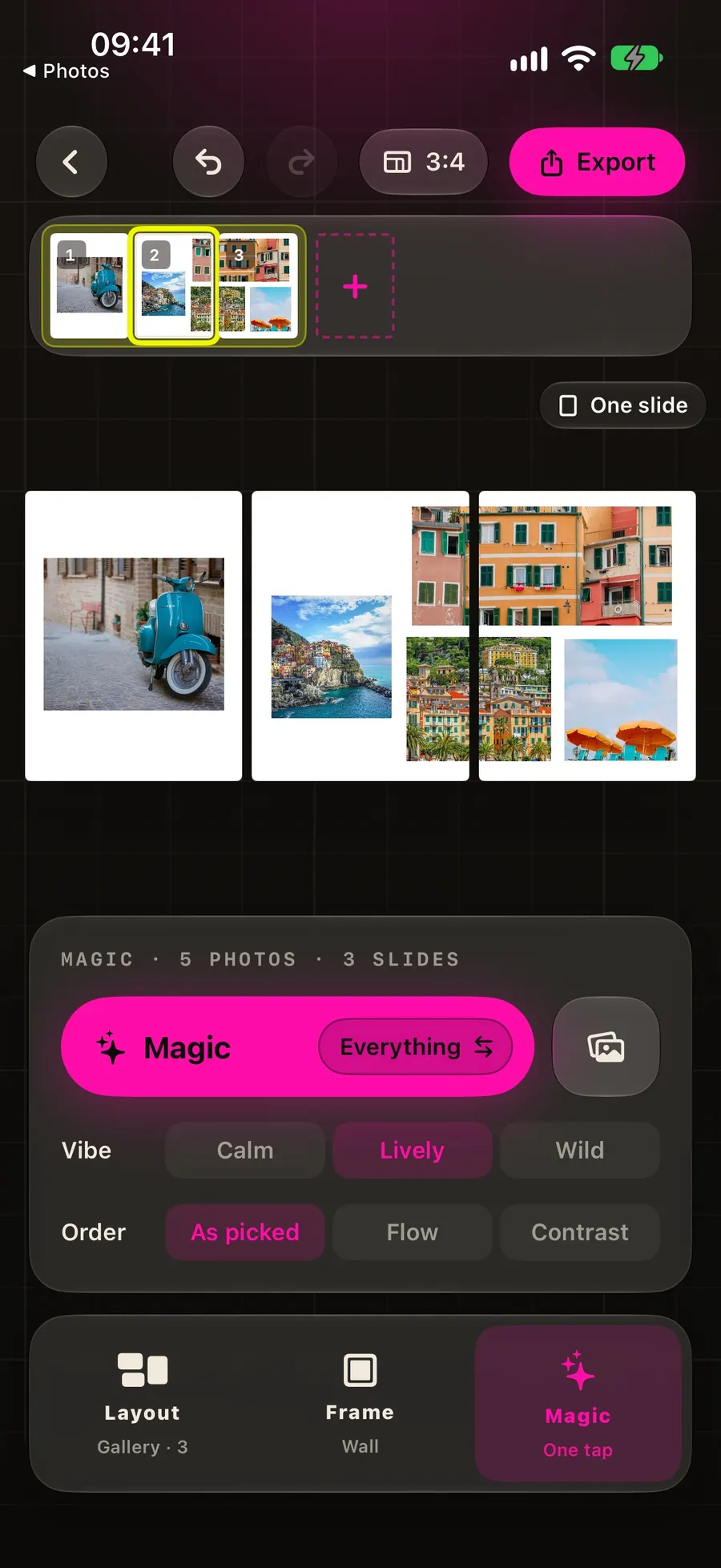
Two knobs
Not that one? Tap again.
- Vibe calm to wild
- Order as picked, or by colour
- Again every take one undo away
07 / 10
Cross the seam.
Photos and clips hang where you drop them, line or no line. Swiped, the two slides meet edge to edge.
08 / 10
Stabilize, from your edit
Good chaos. Steady clips.
Tap Stabilize on a clip and Video Stabilizer Pro, a separate app, hands it back smooth. A demo of the idea.
handheld
09 / 10
Nothing leaves your iPhone.
Apple's photo picker hands over only the photos you choose. Composing and exporting happen right where you are, offline too.
Go on, flip it.
- Stays on your iPhone
- No account
- No tracking
- No ads
10 / 10 · Price
Free. Pro drops the mark.
Every feature is free, and so is every export, at 1080 px with a small GridMakr mark in the corner. Pro sends them out clean, at 1440 px.
- Pro
- $39.99 a year, or $6.99 a week. Every slide without the mark, at 1440 px.
- Trial
- Three days free with the yearly plan. Cancel any time in Settings.
- Offer
- Your first week for $4.99. Join the newsletter: confirm the mail and the code is yours. Leave any time.
- Needs
- iPhone, iOS 26 or later. No account, no ads, either way.
US prices; other countries may differ and the app shows yours before you buy. Payment is charged to your Apple Account at confirmation, or when the free trial ends. Subscriptions renew automatically unless turned off at least 24 hours before the end of the period, and are charged within the 24 hours before it ends. Manage or cancel any time in your Apple Account settings. Unused trial time is forfeited when you subscribe. Terms of Use (Apple standard EULA) · Privacy
Does it post to Instagram for me?
No, and on purpose. GridMakr never touches your Instagram account. It exports images and videos, in order; you post them from the Instagram app like any other carousel. That is also why there is nothing to log in to.
Can I mix photos and videos in the same slide?
Yes. Put clips beside photos in a stack or gallery wall, or use a video for a panorama. Trim the clips and choose the sound. Magic takes photos and videos together too.
How does Magic generate a layout?
Pick your photos and clips, and Magic composes a complete post from stacks, panoramas and gallery walls. Vibe and Order change the feel. Tap again for another layout, then adjust any slide by hand.
Which ratio should I use?
3:4 if you care about the profile grid, which has shown 3:4 since January 2025, so it fits exactly. 4:5 for the tallest post in the feed, with a 6 % trim on the grid. 1:1 for the square. 9:16 for Stories, Reels and TikTok. The ratio is set once per post and every slide follows.
What does it export?
Photo-only slides export as images. Any slide with a video clip exports as a video, with its photos and chosen sound. Save or share the whole post in order; Instagram keeps that order, so a panorama never comes out shuffled and its panels meet edge to edge.
How do I stabilize a video?
Tap Stabilize in a clip's menu or trim strip. GridMakr opens Video Stabilizer Pro, which smooths the clip on-device and returns it to the same cell or frame. It is a separate app; GridMakr offers its App Store card if it is not installed.
What does it run on?
iPhone, on iOS 26 or later. It is built on the Liquid Glass design system, which is why it needs the current iOS. iPad and Mac are not supported yet.